
Blog
How to Design Boardroom Audio That Works

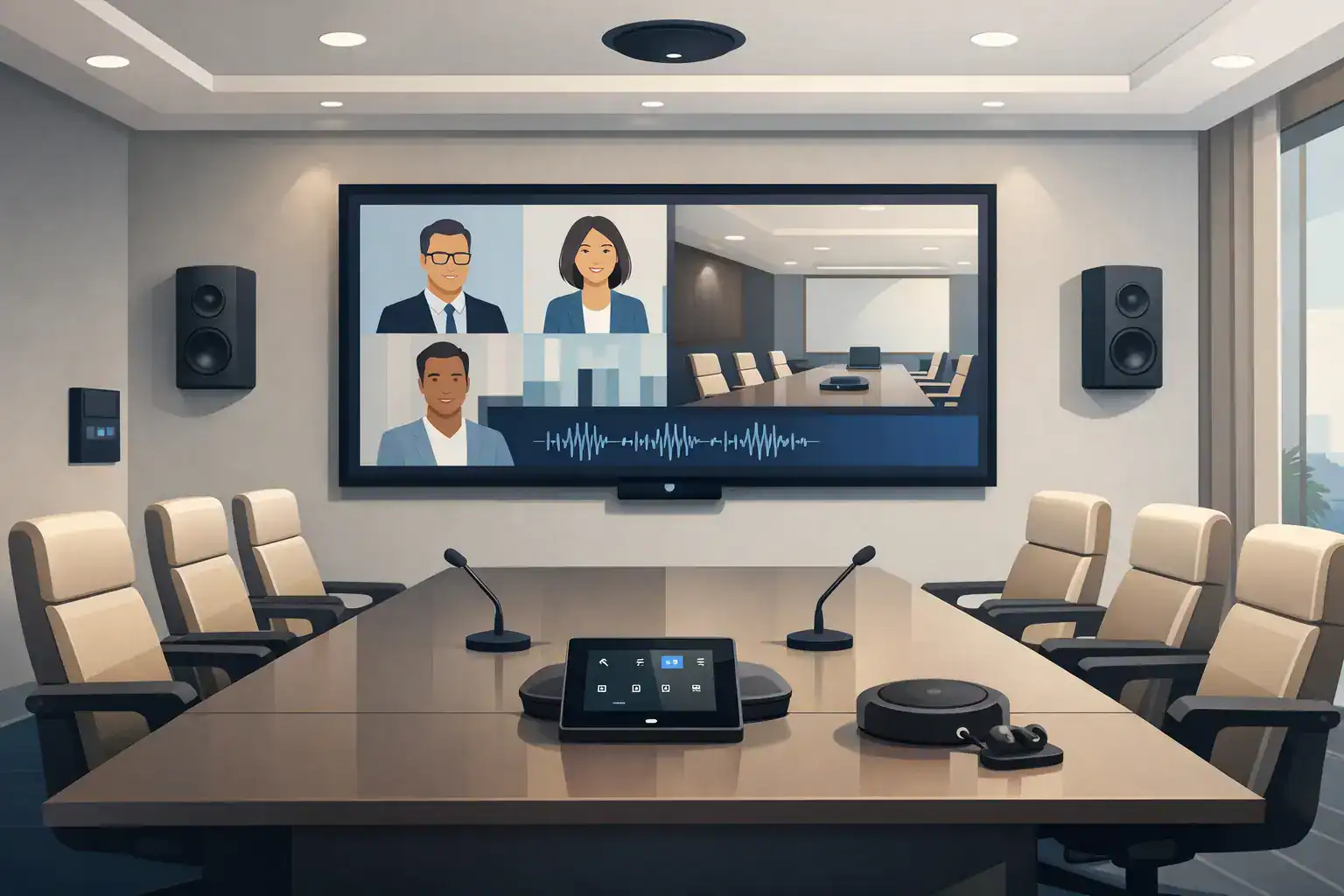
Boardroom audio usually gets judged in the first 30 seconds of a meeting. If remote participants ask people to repeat themselves, if the far end sounds thin, or if one seat hears everything while another struggles, the room has already failed. That is why knowing how to design boardroom audio starts with one practical goal: every participant should hear clearly and be heard clearly, without needing to think about the technology.
In a high-value meeting space, audio design is not just a matter of choosing good equipment. It is a system exercise that combines room acoustics, microphone strategy, loudspeaker placement, DSP programming, conferencing platform integration, and user workflow. The best results come from treating the boardroom as an operating environment rather than a collection of devices.
Start with the room, not the product list
The most common mistake in boardroom projects is selecting microphones and speakers before understanding how the room will actually be used. A six-seat executive room, a twelve-seat formal boardroom, and a divisible conference space may all look similar on a floor plan, but their audio requirements are different.
Begin with the table shape, seating positions, ceiling height, wall finishes, and display locations. Hard surfaces such as glass, stone, and untreated gypsum increase reflections and reduce speech intelligibility. If the room has a long reverberation time, even a premium microphone array will have to work harder to isolate speech. Acoustic treatment does not need to dominate the architecture, but it should be part of the design conversation early.
You also need to define the meeting modes. Some rooms are used mainly for local presentations. Others run hybrid board meetings, video calls with international teams, or high-stakes client negotiations. If the room regularly supports both in-room discussion and unified communications platforms, the audio design must prioritize pickup consistency, echo control, and stable far-end performance.
How to design boardroom audio around speech clarity
Speech intelligibility is the core metric. In a boardroom, nobody is asking for theatrical impact. They need natural voice reproduction, even coverage, and predictable performance from seat to seat.
That changes the equipment logic. Loudspeakers should be selected and positioned for speech reinforcement and conferencing playback, not for excessive output. In many boardrooms, fewer well-placed speakers outperform a larger number of poorly coordinated ones. Too many sources can create comb filtering and uneven tonal balance, especially in smaller spaces.
Microphone design is equally sensitive. Table microphones can provide excellent direct pickup, but they affect furniture aesthetics, cable routing, and table flexibility. Ceiling microphones preserve a cleaner table and simplify reconfiguration, but their success depends heavily on ceiling height, room acoustics, and accurate coverage mapping. Beamforming arrays can perform very well in formal boardrooms, but they are not a universal answer. In reflective rooms or spaces with unusual seating layouts, a mixed strategy may be the better option.
The right choice depends on how much control you have over room finishes, how formal the space needs to look, and how often the seating arrangement changes.
Microphone planning is where many systems succeed or fail
If you want to know how to design boardroom audio properly, spend more time on microphones than on almost any other element. Poor microphone pickup cannot be fixed later by turning up gain. That usually brings noise, room reflections, and feedback risk with it.
For fixed boardroom tables, map each participant position and define pickup zones clearly. The microphone should capture the talker before it captures the room. That is why distance matters. The farther the microphone is from the speaker, the more the system relies on processing to recover clarity.
Ceiling array microphones work best when the room geometry supports them and the DSP is tuned with care. Table-mounted goosenecks remain a strong option in high-formality environments where consistent pickup is non-negotiable. Boundary microphones can work in smaller rooms, but in larger tables they may leave weak positions unless used in sufficient quantity and placed with discipline.
There is also a workflow question. In some executive environments, users prefer no visible interaction with the audio system. In others, individual mute control is essential. The design should reflect the room culture, not just the technology trend.
Speaker placement should support the conversation
Boardroom speaker design is often treated as secondary because the room does not need concert-level output. That assumption leads to poor playback localization and listener fatigue.
The goal is simple: participants should hear remote voices naturally, at an even level, without hotspots or dead zones. In most boardrooms, ceiling speakers can work well if they are placed to provide uniform coverage and integrated properly with the room layout. In higher-performance environments, especially where displays define the front of the room, front-oriented speaker placement may improve voice anchoring so remote participants sound connected to the screen image rather than floating overhead.
This is an area where design trade-offs matter. Ceiling speakers may be cleaner architecturally and easier to distribute evenly. Front speakers may improve localization. Neither is automatically correct. The right answer depends on room dimensions, ceiling design, display wall composition, and conferencing expectations.
DSP and signal flow make the room usable
A boardroom audio system is only as reliable as its processing and signal management. Digital signal processing handles acoustic echo cancellation, automatic mixing, equalization, dynamics, routing, and level control. In hybrid meeting rooms, the DSP is what allows local and remote participants to communicate naturally.
Echo cancellation must be tuned to the actual room behavior, not left at default settings. Gain structure must be set across microphones, DSP, amplifiers, USB interfaces, and conferencing codecs so speech remains clean and stable. If wireless microphones, presentation audio, video conferencing audio, and local reinforcement all share the same environment, routing logic needs to be deliberate.
This is also where integration discipline matters. Boardroom audio should not sit in isolation from the video system, control interface, occupancy logic, or conferencing platform. If users need multiple steps to start a meeting, mute the room, or switch between local and remote sources, they will create workarounds. A good system design reduces operator dependence.
How to design boardroom audio for hybrid meetings
Many boardrooms now serve two audiences at once: people in the room and people joining remotely. That changes the design target. A room that sounds acceptable for local presentation may still perform poorly on a video call.
Remote participants need intelligible near-end speech, stable camera framing, and consistent audio regardless of where someone sits. In-room participants need clear far-end playback that does not sound detached or overly processed. These goals are related, but not identical.
For hybrid use, pay close attention to microphone coverage at the ends of the table, side conversations, and presenters who stand near displays. Consider whether the system needs voice lift for larger spaces or only conferencing playback. Also check how the room behaves when HVAC noise rises or when occupancy changes. A boardroom that sounds fine during commissioning can behave differently in a live operating environment.
Platform compatibility matters as well. If the room is expected to support multiple UC platforms, the audio path should be designed to move between them without compromising user experience. That includes codec interfacing, USB switching where needed, and control logic that is simple enough for non-technical users.
Coordination with architecture and furniture is not optional
The cleanest boardroom audio installations are usually the ones planned early. Ceiling microphone arrays, recessed speakers, floor boxes, table cutouts, rack locations, and conduit routes all benefit from coordination before finishes are locked in.
Furniture is especially important. Table thickness, material density, cable access, and seating geometry all affect microphone choices and installation methods. Even chair placement influences pickup consistency. When boardroom audio is designed after joinery, lighting, and ceiling works are already finalized, the system often ends up compensating for preventable constraints.
This is one reason turnkey delivery matters in real projects. Design, supply, installation, commissioning, and user training are connected stages. If they are fragmented across multiple parties, accountability becomes harder to maintain.
Commissioning is where performance becomes real
No boardroom audio system should be judged by its equipment schedule alone. Final performance depends on commissioning. That includes DSP tuning, microphone optimization, loudspeaker balancing, echo cancellation verification, and live testing with actual conferencing scenarios.
A proper commissioning process should test normal speaking levels, soft voices, cross-table discussion, far-end playback, local presentation audio, and mute logic. It should also confirm that control interfaces are intuitive and that support teams understand basic operation.
Training matters more than many clients expect. Even a technically strong system can generate complaints if users do not know what mode the room is in, how microphones behave, or what happens when they switch meeting platforms. Reliable boardroom audio is partly engineering and partly operational clarity.
When clients ask how to design boardroom audio, the right answer is rarely a single product recommendation. It is a coordinated approach that aligns room acoustics, microphone strategy, loudspeaker layout, DSP, conferencing workflows, and commissioning standards with the way the boardroom is actually used. Get those decisions right early, and the technology fades into the background exactly where it belongs.